The demolition platform, from takeoff to teardown.
From the walkthrough to the last load. Walk the site with the plans on your iPad, estimate and bid it straight from the takeoff, staff the crew and route every can. Built for demolition contractors, from the estimator to the foreman.
The walk comes back measured. Touch it up, crew it, pick the dumps, price it and send the proposal.
iPhone & iPad app
Web app
Voice walkthrough
AI takeoff
Crew & machines
Dump sites by drive
Your own rates
Branded proposals
Dispatch & run planner
Touch Up the Takeoff
Pick a line and draw what the walk missed, then open it and set its height and finish. Its feet, tons, loads and hours follow every change.
app.demotek.com
Demotek, in the field on iPhone and iPad.
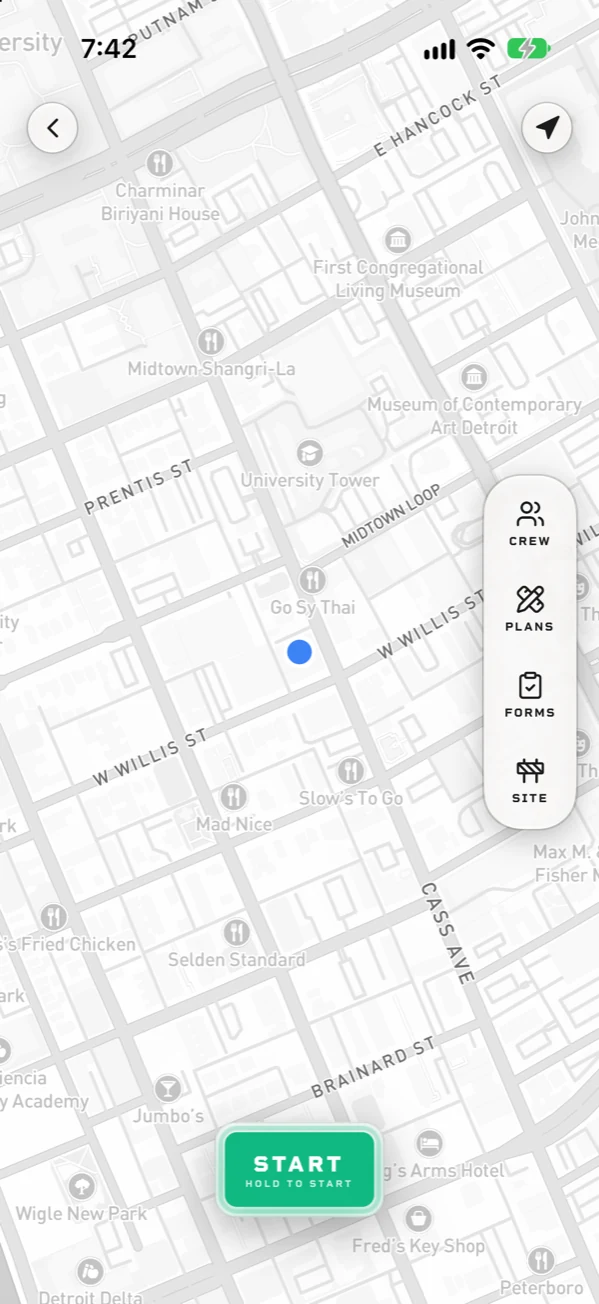
The foreman runs the job from the site: the day's clock, the asks to the office, what's down and every sheet of the plans. The office sees it as it happens.
Hold to start on the site map. The dock runs the clock all day.
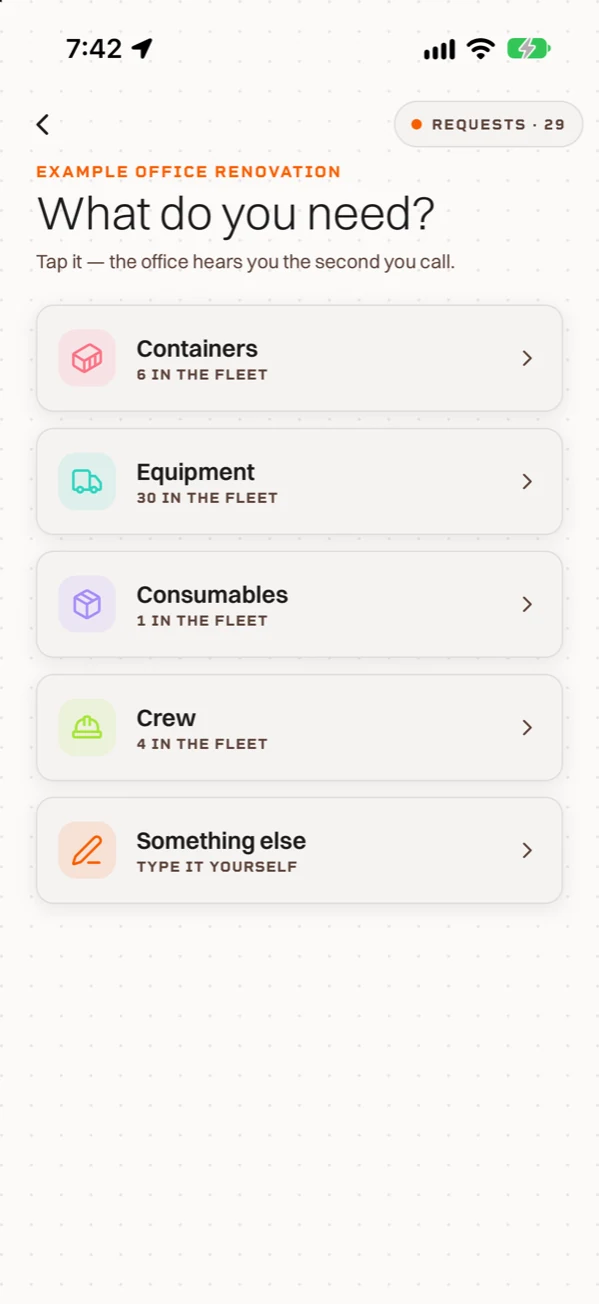
Ask from the floor
A switch, a delivery, a machine or a hand. The office hears it the second you call.
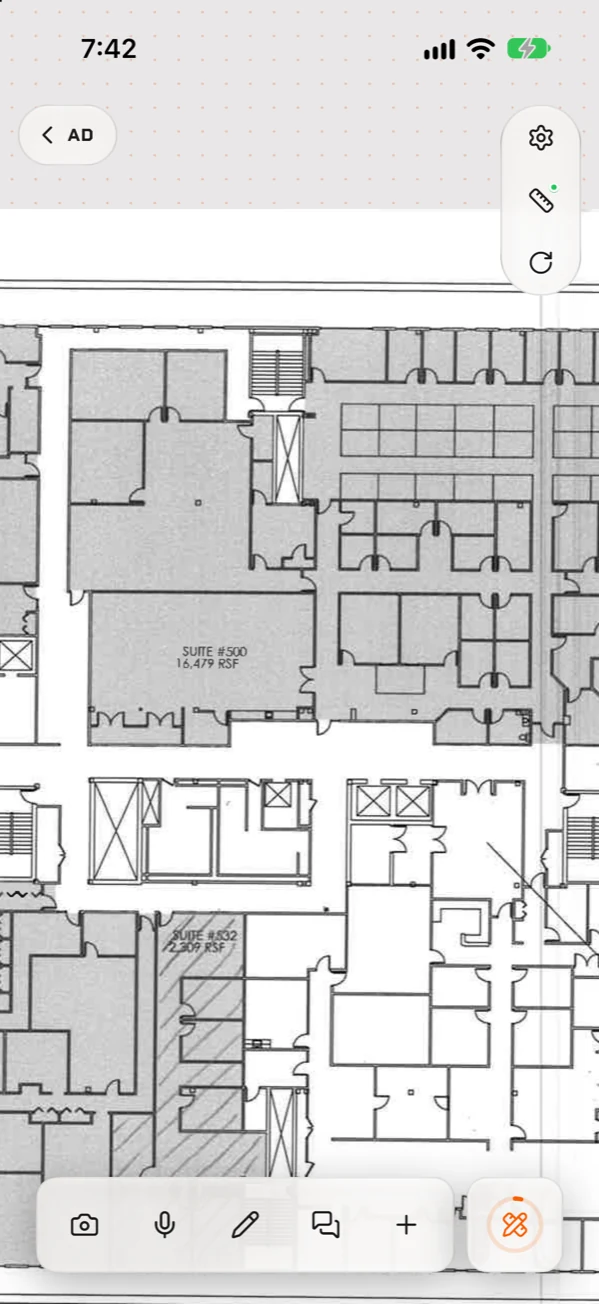
Every sheet in your pocket
The whole set on the job, one tap from the site map.
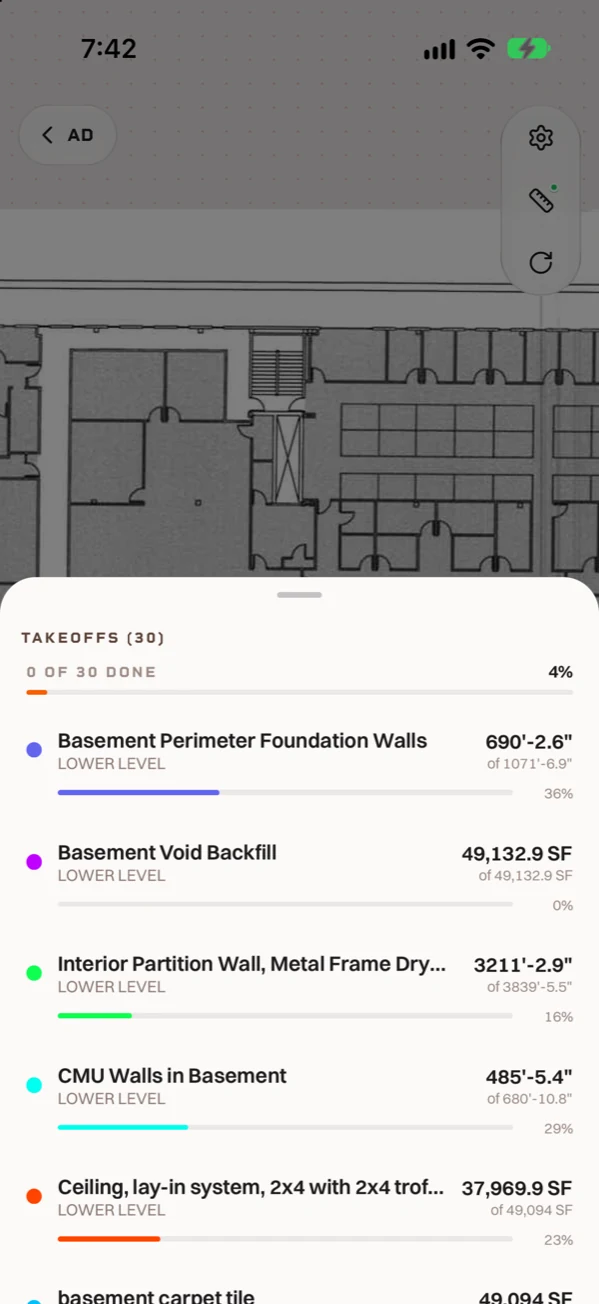
What's down, item by item
Every line of the takeoff with how much of it is done.
Build the Crew
Drop the takeoffs onto crews and staff each one from your catalog: people by headcount, a machine with its attachment and freight, a sub's quote. Then drag the bars into a schedule; days, hours and cost follow every change.
app.demotek.com
Pick the Dump Sites
Each material goes to its own site, debris to the landfill and metal to the scrap yard. The real drive comes back, priced per load, and lands in the disposal total.
app.demotek.com
Mark Up the Bid
See the bid at cost or with its markup, change a rate, and every total moves with it.
app.demotek.com
Write the Proposal
Ask the Operator and it writes the scope into the letter from your takeoffs, marked so you see what it wrote. Then state the bid and send it to the GC from your own mailbox, proposal attached.
app.demotek.com
You won it. Now staff it.
Put the crew on the week from who's free, and everyone on it hears where to be.
Staff the Job
Drag a free hand onto the job and their days fill in. One click texts everyone on it where to be and when.
app.demotek.com
The foreman runs the day from the iPad.
Clock the crew in, take down what's done, log every load out and ask the office without leaving the floor.
Clock In the Crew
Hold START at the job, then start the crew from the board, one at a time or all at once.
Take It Down
Erase what came out today. The plan shows it done and the takeoff counts down to what’s left.
Log the Load Out
When a can leaves, shoot what’s in it and log it. The office has the load before the truck is off the block.
Ask the Office
Pin a question right where it matters on the sheet. The office answers on the pin, and the thread keeps the back-and-forth.
The field asks. The office routes it.
A full can is a tap on the iPad. It lands on the office board, gets planned into a run and the ETA goes back.
Call the Switch In
A full can is a few taps from the job: Dispatch on the dock, the full one, what comes back, where it goes, when, and call it in.
Plan the Run
The office takes the ask off the board, plans every switch and pickup into one route per truck, and one click tells the field when each is coming.
app.demotek.com
“The circuits feature is the unlock. Our crew leads built the scopes once and now every estimator bids them the same way.”
Takeoff speed
5x
Faster takeoffs vs. paper or PDF markup
measured across live orgs
Estimating time
60%
Average reduction in estimating time
measured across live orgs
Bid volume
3x
More demolition projects bid every quarter
measured across live orgs
Frequently asked
Questions demolition contractors ask.
What is Demotek?
Demotek is estimating, takeoff, and bidding software purpose-built for demolition contractors. It replaces the Bluebeam + Excel workflow with a single workspace where you measure plans, price scopes, plan crews, and ship branded proposals.
How is this different from generic construction takeoff software?
Generic takeoff apps are retrofitted from framing or civil workflows. Demotek is built for demolition from day one — selective vs. structural breakouts, disposal and haul routing, salvage credits, and crew-circuit templates that frame the way demo contractors actually price work.
Does Demotek handle asbestos abatement estimating?
Yes. Demotek takes off ACM by material — areas, linears, and fitting counts — and prices the full abatement scope: removal labor, containment and negative-air units, air monitoring and clearance, and manifested disposal. Because abatement and demolition share one plan set, you can carry the abatement phase and the demo phase in the same project, with the clearance gate between them.
Who uses Demotek?
Demolition contractors of every size — from owner-operators bidding their first commercial job to multi-region demo firms running dozens of estimators. Estimators, project managers, and crew leads all work from the same source of truth.
How long does it take to learn?
Most estimators are taking off their first real plan inside 20 minutes. The interface mirrors the way demo contractors already think about jobs — areas, lengths, counts, scopes, crews — so there is no new mental model to learn.
Who makes Demotek?
Demotek is made by Demotek LLC, a software company based in Detroit, Michigan. It builds estimating, takeoff and field software for demolition and asbestos abatement contractors, and nothing else. It is not related to other businesses that share the name.
What does Demotek integrate with?
Demotek connects to your company mailbox (Gmail, Microsoft 365 / Outlook, or any IMAP mail server) to send proposals from your own address and file project email, and to Google Calendar and Outlook calendars for walkthroughs and job dates. Plans come in as PDF, PNG or TIFF; bids and proposals go out as PDF, Word (DOCX) and Excel (XLSX). Crews get texts and push notifications on their phones.
Can I export to PDF?
Yes. One-click branded proposal and bid sheet export, print-ready and client-ready. Takeoff overlays can be exported with or without annotations.
Does it run on iPad in the field?
Demotek runs in any modern browser and has native iPhone and iPad apps (Android is not available yet). Walkdowns from the field stay in sync with the estimator at the office in real time.
From the blog
Guides for demolition estimators.
Practical, opinionated writing on takeoff, scope assemblies, crew planning, and disposal routing — the parts of a demolition bid that actually move the number.